

Filame Launches Free Online 3D CAD & STEP Viewer with DFM Analysis
Inspect 3D CAD files (.STEP, .STP, .IGES, .STL) directly in your browser. 100% private client-side parsing, bounding box, surface area, and alloy weight estimation.
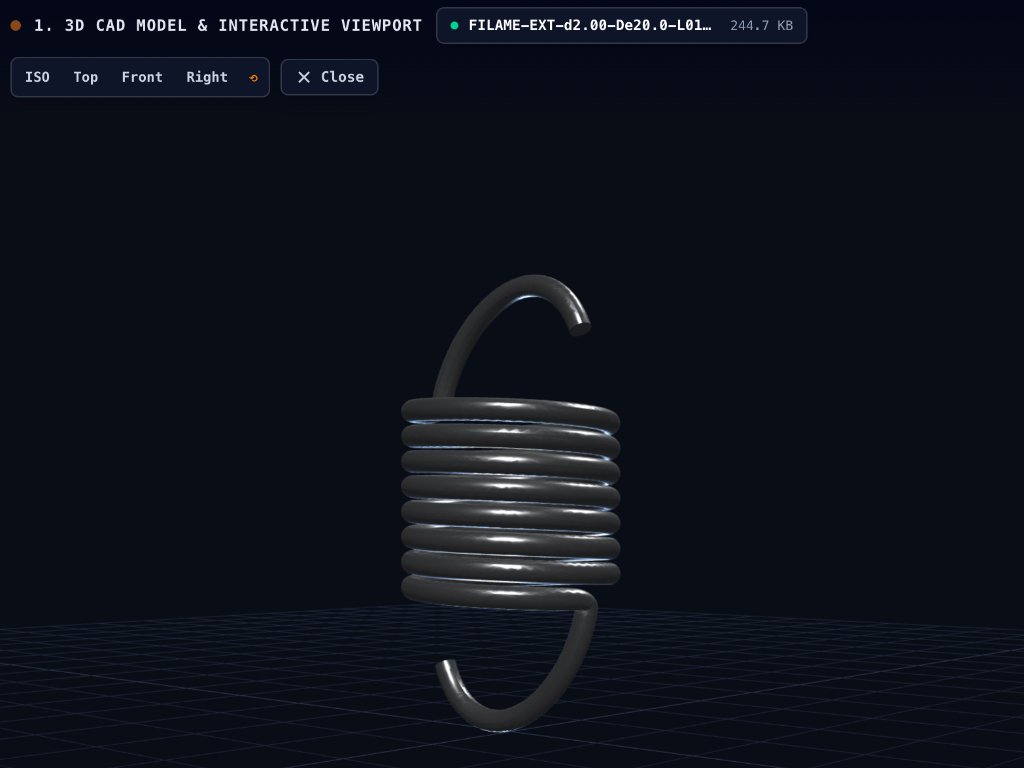
The Filame Group is pleased to announce the launch of its newest digital engineering tool: the Online 3D CAD & STEP File Viewer. Designed for mechanical engineers, R&D departments, and industrial buyers, this web-based tool enables instant inspection, geometric dimensioning, and unit weight estimation for 3D CAD models directly in the browser—with zero software installation required.
100% Client-Side Privacy: Zero Server Uploads
In precision manufacturing sectors such as aerospace, defense, automotive, and medical equipment, intellectual property and non-disclosure agreements (NDAs) are paramount. Conventional web converters frequently upload CAD files to remote third-party servers, posing critical confidentiality risks.
Filame’s 3D CAD viewer solves this challenge through modern WebAssembly (WASM) technology:
- All parsing occurs locally within your browser’s client-side memory sandbox.
- Proprietary geometry never leaves your workstation, ensuring strict data privacy and compliance with industrial security standards.
- Instant processing of files up to 50 MB without waiting for file uploads or cloud rendering queues.
Key Capabilities & DFM Analysis
- Universal Format Support: Open solid models in ISO 10303 STEP format (
.step,.stpin AP203, AP214, and AP242 protocols), IGES (.iges,.igs), and polygon mesh formats (.stl). - Interactive 3D Navigation: Smooth orbital rotation, pan, zoom, edge-wireframe overlay toggling, and preset orthographic views (Top, Front, Side, Isometric).
- Precise Envelope Dimensions: Instant measurement of the exact bounding box envelope ($X \times Y \times Z$ in mm) and total outer surface area ($mm^2 / cm^2$).
- Real-Time Unit Weight & Volume Calculator: Instantaneous volumetric calculation paired with certified industrial alloy densities:
- 1.4310 (AISI 301) & 1.4404 (316L) Stainless Steel
- High-Carbon Spring Steels (EN 10132-4 / EN 10270-1)
- Structural & Mild Steels (S235 / DC01)
- Aluminum Alloys (6060 / 5754)
- Brass (CuZn37), Copper (Cu-ETP), and Titanium Grade 5
- Seamless RFQ Integration: One-click transfer of all extracted dimensions, surface area, and material choices directly into Filame’s manufacturing inquiry portal.
Launch 3D CAD & STEP Viewer
Inspect .STEP, .STP, .IGES, and .STL files instantly in your browser. Measure bounding box envelopes, surface area, and calculate alloy unit weight without uploading files to external servers.
Bridging Digital CAD Design and Industrial Manufacturing
Whether you are designing custom stamped components, laser-cut sheet metal profiles, precision CNC bent brackets, or helical springs and wire forms, accurate early-stage geometric verification prevents costly design revisions down the line.
Filame’s in-house engineering design studio and tooling department in Nivelles, Belgium, utilizes advanced CAD/CAM modeling (SolidWorks, VISI) combined with more than 50 years of metalworking expertise. This new online viewer gives design teams an immediate, zero-barrier gateway to validate parts and collaborate directly with our production specialists.
👉 Launch the Online 3D CAD & STEP Viewer or explore our complete online engineering calculation suite.